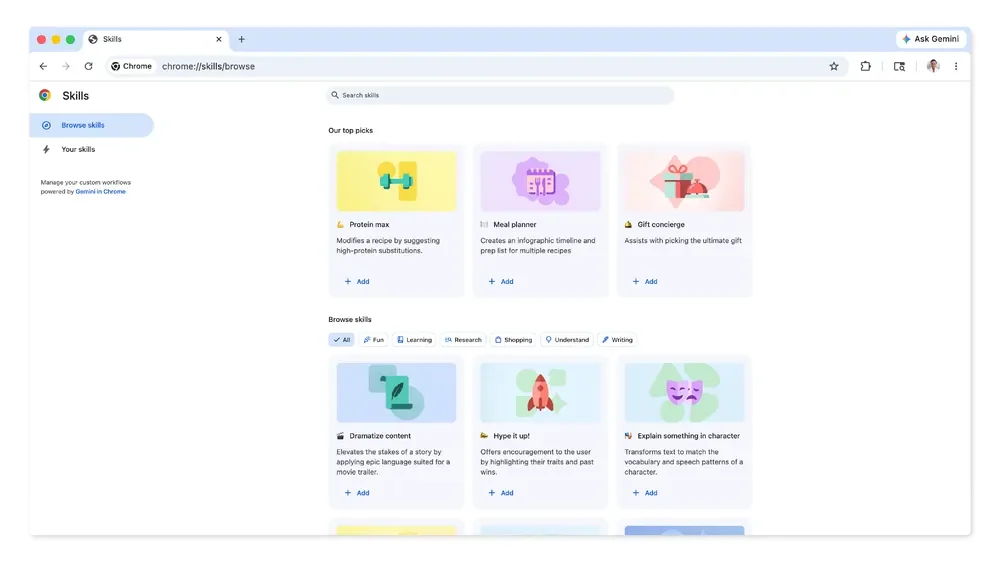
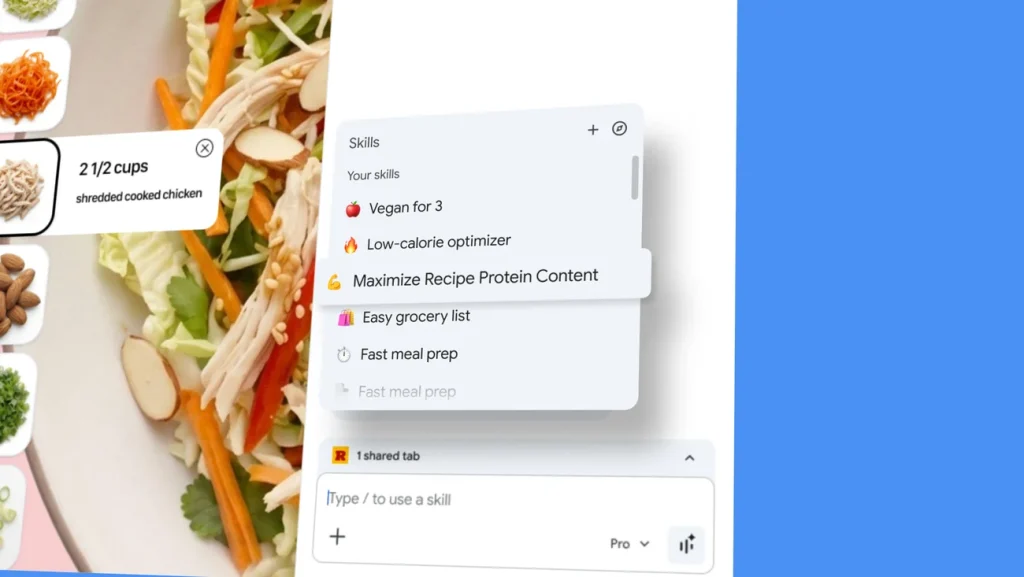
Google has launched a new feature called Skills in Chrome, designed to help users save, reuse, and customize their most valuable AI prompts within the Gemini in Chrome experience. This functionality is now rolling out to desktop users of Gemini in Chrome, allowing anyone signed in to access their saved Skills across any compatible device. The feature targets web users who frequently rely on AI for repetitive tasks—from tweaking recipes to scanning documents and comparing shopping options—and is publicly available to all Gemini in Chrome users.
https://twitter.com/googlechrome/status/2044099474348224681
How Skills Work
Skills lets users turn any prompt they've previously entered into a reusable workflow, accessible via a simple forward slash or plus sign in the Gemini interface. These Skills can be run on the current page or across multiple tabs, with options for editing and creating new Skills at any time. Alongside personalized workflows, Google offers a curated library of ready-to-use Skills for common online tasks, which can be further customized. Technical safeguards ensure privacy and security, requiring user confirmation before actions like calendar updates or email sends, and leveraging Chrome's automated protections.
Google's AI Integration Strategy
This launch follows Google's broader push to integrate generative AI across its products, focusing here on increasing productivity for web users. By embedding Skills into Chrome, Google aims to differentiate its browser and AI offerings from competitors, providing a more tailored and efficient browsing experience. Early feedback from testers highlights the practicality of automating routine web activities, suggesting an impact on both individual productivity and how users interact with online content.