
1. Purpose
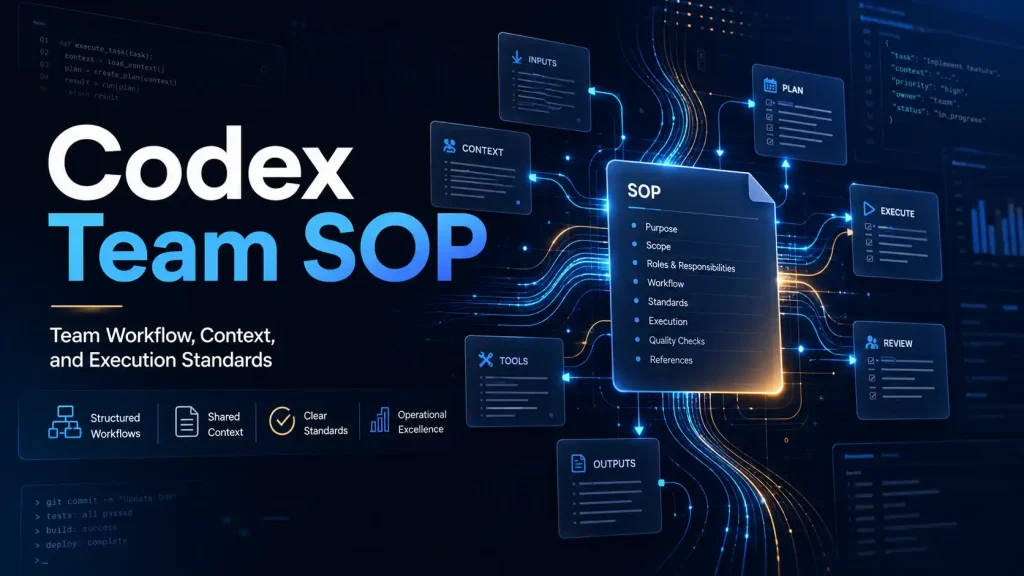
This SOP is used to standardize how the team uses Codex, OpenSpec, and Superpowers to conduct requirements discovery, product planning, development implementation, testing and validation, operations analysis, issue troubleshooting, and knowledge capture.
This SOP is not only for engineers, but also for product managers, test engineers, designers, operations, implementation delivery, data analysis and other business teams that need to preserve project context.
Core goals:
- Lower the threshold for new team members to use Codex.
- Avoid project context only existing in chat logs.
- Avoid the need for manual retelling after the Codex thread context is lost.
- Use OpenSpec to structure requirements, decisions, task progress, validation results, and business conclusions.
- Use Superpowers to encapsulate high-frequency complex operations and improve team collaboration efficiency.
- Allow team experience to be reused, handed over and continuously improved.
Quick Start: 5-Minute Edition for New Team Members
If this is your first time using Codex in a project, you can first follow this minimum process:
- First let Codex check whether the relevant context already exists in OpenSpec.
- Decide whether this task requires creating or updating an OpenSpec change.
- Handle small tasks directly; for larger tasks, write the proposal, design, and task list first.
- Execute against the task list, and do not leave critical decisions only in chat.
- After completion, run the required validation and record validation steps and outcomes.
- Write actual outputs, key decisions, and open items back to OpenSpec.
- If the change is complete, check whether the specs need to be written back and archived.
Minimum starter prompt:
This is my first time working on a task in this project.

Please first check if the relevant context already exists in OpenSpec and then let me know:

1. Do you need to create or update an OpenSpec change?
2. Is there a suitable Superpower for use?
3. What is the minimum feasible advancement path?
4. Which operations require my confirmation?
Judgment before using OpenSpec
The goal of OpenSpec is to save reusable long-lived context, not to turn every small action into a process.
Before starting the task, make a lightweight judgment:
Does this task require a future person, a future self, or a new Codex thread that can restore the context?If the answer is "yes", you should consider using OpenSpec.
Cases where OpenSpec is suitable:
- Requirements, solutions, acceptance criteria or business rules need to be stored for a long time.
- Tasks will be collaborative across multiple people, departments, time, or Codex threads.
- Prospective successors need to know "why".
- Involving product behavior, technical design, test scope, data caliber, customer delivery or operational process changes.
- Key decisions, risks, validation results or review conclusions need to be recorded.
- Completion of the task may affect subsequent requirements, testing, launch, delivery or business judgment.
Cases where the full OpenSpec flow can be avoided:
- One-time simple Q&A.
- Minor copywriting, formatting, layout or local description adjustments.
- Identify low-risk mechanical modifications.
- Temporary exploration without resulting in long-term retention decisions.
- Just need Codex to help explain, translate, polish or quickly summarize a short paragraph.
Recommended rating:
| Task type | Recommended processing method |
|---|---|
| Simple Q&A, explanation, translation, polishing | Let Codex do it directly, no OpenSpec required |
| Small-scale, low-risk, no long-term impact tasks | You can only make light judgments |
| Tasks with requirements, scenarios, acceptance, testing, delivery, or business impact | Create or update an OpenSpec change |
| Cross-team, cross-thread, long-term, or high-risk tasks | must be recorded and promoted using OpenSpec |
One sentence principle:
OpenSpec is used to save long-term valuable context, not to record all conversations and small actions.2. Basic principles
All projects should have the ability to use OpenSpec to inherit long-lived context, but not every small task must go through the entire OpenSpec process.
OpenSpec is a structured recording tool for project iteration context, used to save:
- Project agreement
- Requirement background
- Scheme design -Task breakdown
- Execution progress
- Key decisions
- Verification results
- Business conclusion
- Follow-up matters
Don't rely solely on Codex conversation history as a source of context.
If:
Codex ran out of room in the model's context window.
Start a new thread or clear earlier history before retrying.
Team members should be able to recover task context via OpenSpec, rather than verbally describing the full context again.
3. Contextual Budgeting Principle
Codex, OpenSpec, Skills, Superpowers, local tools, rule descriptions, project documentation, and chat logs all occupy the model's context window.
The context window of LLM is limited. The more complex the context, the more information the model needs to pay attention to simultaneously, and the less attention it has to devote to the "real task".
Therefore, the team needs to abide by a principle:
The more tools the better,
The rule is not that more is better.

Complex processes should be encapsulated on demand,
Instead of precipitating all operations into Superpower.
Special attention is required:
- Don’t fill the Codex with a lot of irrelevant background all at once.
- Don't enable complex Superpowers for simple tasks.
- Don't make the Codex follow too many ad hoc rules at the same time.
- Don't let Codex read irrelevant documents just to "appear canonical".
- Do not write OpenSpec as a running account to avoid invalid information polluting the long-lived context.
- Don’t turn every little move into a Superpower.
- Don't let Superpower turn into a giant all-powerful process.
Recommended judgment criteria:
If a rule, tool, skill, or superpower doesn't significantly help the current task, don't enable it.A better approach would be:- Read the most necessary OpenSpec context first.
- Only enable Skills or Superpowers that are directly related to the current task.
- Complex tasks are handled in stages without cramming all requirements at once.
- After completing the staged work, write key decisions into OpenSpec instead of relying on chat logs.
- Keep prompts short, clear, and targeted.
One sentence principle:
The context is budget, not trash can.4. Division of labor among the three tools
Codex
Codex is responsible for understanding tasks, reading context, organizing information, assisting analysis, performing automatable work, running validations, and summarizing results.
It is an executor and a collaborator.
OpenSpec
OpenSpec is responsible for saving long-lived context.
It is the structured memory of the project, recording "why you do it, how you do it, and which step you do."
Superpowers
Superpowers are responsible for encapsulating high-frequency complex operations.
It turns error-prone, multi-step, experience-requiring processes into reusable capabilities that team members can invoke through natural language.
Recommended way of understanding:
OpenSpec is responsible for saving context.
Superpowers are responsible for encapsulating complex processes.
Codex is responsible for understanding the task, selecting tools, executing the process, and updating records.
Codex usage notes and tips
Codex is very suitable for information sorting, solution deduction, file modification, validation execution and stage summary, but its effectiveness is highly dependent on task description, context quality and validation method.
Make the task clear
The tasks given to Codex should try to include:
- Goal: What you want to accomplish.
- Background: why it is done.
- Scope: what to do and what not to do.
- Input: related files, documents, links, data or context.
- Output: Do you want to get code, documents, tables, summaries, plans or checklists.
- Verification: How to judge task completion.
Recommended prompts:
My goal is: [goal]
The background is: [background]
This scope includes: [Scope]
Explicitly excludes: [non-scope]
Please check the necessary context first and then give the execution plan.
If you need to modify the file, please first explain what changes will be made.
Please explain the validation method and results after completion.
Let Codex judge first and then execute
For non-trivial tasks, don’t directly ask Codex to “do it right now.” A better way is to let it judge first:
- Whether OpenSpec needs to be read.
- Whether a change needs to be created or updated.
- Whether you need to use Superpower.
- Whether there are high-risk operations.
- Whether user confirmation is required.
Recommended prompts:
Please first determine the complexity and risk of this task:

1. Do you need OpenSpec?
2. Do you need Superpower?
3. What context needs to be read
4. Will it modify files or affect external systems?
5. Which steps do I need to confirm?

Confirm before executing.
Control the context, don’t fill it all at once
Don't throw all your information, all your rules, all your chat logs to Codex at once. A better approach would be:
- Give the goal and the most critical context first.
- Let Codex search or indicate which context is required.
- Supplement information in stages.
- Long-term important content is written into OpenSpec.
- Details in temporary conversations are summarized in time to avoid being lost in the chat logs.
Explicitly require validation
Don’t just accept “done.” Before completing the task, ask for Codex instructions:
- did something.
- What has been changed.
- How to verify.
- What is the validation result.
- What unverified content is there.
- What other risks or follow-up matters are there?
Different roles have different validation methods:
| Role/Scenario | Common validation methods |
|---|---|
| Product | Acceptance standard inspection, user process review, scope confirmation |
| Development | Test, lint, build, page or interface validation |
| Testing | Use case coverage, reproduction steps, regression results, defect status |
| Operation/Business | Indicator caliber validation, execution checklist, review conclusion |
| Data analysis | Data source confirmation, caliber consistency, outlier check |
| Customer Success/Implementation | Customer Configuration Check, Delivery Checklist, Risk Validation |
High-risk operations should be stopped and confirmed
The following operations must first explain the plan to Codex and wait for manual confirmation:
- Delete, overwrite or batch modify files.
- Database migration, production data modification, production configuration adjustment.
- Publish, deploy, rollback, or impact online users.
- Operations that have an impact on customer configuration, delivery scope or external commitments.
- Send formal conclusions, reports or external communications.
Make good use of staged summaries
When the task is long, contains a lot of information, or is about to change threads, let Codex summarize in time:
Please make a staged summary based on the current context:

1. Current goal
2. Completed content
3. Unfinished content
4. Key decisions
5. Verification results
6. Current risks
7. Suggestions for next steps

Information that needs to be retained for a long time should be written to OpenSpec.
One sentence principle:
Let Codex do more verifiable intermediate steps and less final jumps without context and validation.5. Applicable roles and typical scenarios
| Different roles can use the same set of OpenSpec methods, but the recording focus is different. | Role | Typical usage scenarios | OpenSpec key records |
|---|---|---|---|
| Product Manager | Requirements analysis, user stories, PRD disassembly, scope confirmation, version planning | Background, goals, non-goals, acceptance criteria, key decisions, scope changes | |
| Development Engineer | Technical solutions, function implementation, reconstruction, defect repair, interface adjustment | Technical design, scope of influence, implementation progress, validation results, risks | |
| Test engineer | Test plan, use case design, defect recurrence, regression validation, acceptance report | Test scope, test data, recurrence steps, actual results, legacy risks | |
| Designer | Experience plan, interaction adjustment, design review, visual specification precipitation | Design goals, user path, plan selection, acceptance criteria, impact page | |
| Operation/business team | Activity plan, process optimization, customer issue follow-up, business rule changes | Business background, target indicators, execution plan, validation standards, review conclusion | |
| Data Analyst | Indicator definition, data caliber, analysis conclusion, report iteration | Indicator caliber, data source, analysis assumptions, conclusion, follow-up actions | |
| Implementation/Customer Success | Customer delivery, troubleshooting, configuration changes, handover records | Customer background, configuration items, operation records, risks, delivery conclusions |
One sentence principle:
Whenever a task needs to restore context across people, time, and threads, it should be recorded using OpenSpec.6. OpenSpec document relationship and retrieval performance maintenance principles
The value of OpenSpec goes beyond documenting content to maintaining relationships between project documents.
When Codex restores context, it usually relies on file names, directory structures, titles, keywords, reference relationships, and task status to determine what content is relevant. Therefore, the more structured the OpenSpec is written and the clearer the relationships, the better the Codex can retrieve and understand the context of the project.
6.1 Each change should explain what it is related to
When creating or updating an OpenSpec change, you should try to document:
- associated specs
- Associated code modules
- Associated requirements documents, test plans, business processes, data metrics or customer projects
- Associated pages, interfaces, database tables or configuration items
- associated historical changes
- What behaviors are affected by the current change?
- Which scopes are not affected by the current change?
It is recommended to add a similar structure to the change proposal or design:
## Related Context

- Related specs:
  -user-auth
  - billing-plan

- Related changes:
  - add-team-invitation-flow

- Related code:
  - src/modules/auth/
  - src/modules/billing/
  - apps/web/pages/settings/

- Related docs / business context:
  - PRD: team-permission-v2
  - Test plan: billing-regression
  - Metric: paid-team-conversion-rate
  - Customer project: enterprise-onboarding

-Affected behavior:
  - Judgment of permissions after user login
  - Feature visibility after team package changes

- Out of scope:
  - No modification to the payment process
  - Do not modify the invoice generation logic
In this way, the Codex in the new thread can more quickly determine "which files should be read and which files should not be read."
6.2 specs records stability capabilities, changes records the iteration process
The team needs to separate the responsibilities of specs and changes.
openspec/specs/ is suitable for recording long-term stable product capabilities, behavioral conventions and system rules.
openspec/changes/ is suitable for recording a specific iteration, including background, plan, tasks, progress and validation results.
Don't write short-term task logs into specs, and don't leave long-term behavioral rules only in changes.
Recommended principles:
Stable rules into specs.
An iterative process makes changes.
Long-term behavior after completion needs to be written back in specs.
6.3 Maintain document relationships after the task is completed
After a change is completed, not only check the tasks, but also let Codex check whether it is needed:
- Update related specs
- Added references to related changes
- Archiving completed change
- Remove or compress outdated temporary instructions
- Record final validation results
- mark follow-up
Recommended prompts:
Once the task is complete, please help me maintain the OpenSpec document relationships:

1. Check whether this change affects existing specs
2. If affected, please update the corresponding specs
3. Supplement related specs, related code, related docs and related changes in change
4. Mark tasks completion status
5. Record validation commands and results
6. Determine whether the change can be archived
7. Clean up outdated or duplicate temporary descriptions to avoid affecting subsequent retrieval.
6.4 Complete the minimal archive product of change
A completed change should not only leave the checked tasks, but also allow subsequent new threads to restore the context.
Before archiving you need to confirm at least:
- Is the ultimate goal clear?
- Is the summary of actual changes clear?
- Are key decisions recorded?
- Verify that commands and results are logged
- Have you judged the need to write back specs?
- Whether to record related specs, related code, related docs, related changes
- Whether to mark legacy follow-up
Recommended archive summary structure:
## Completion Summary

- Final outcome:
- Actual changes:
- Key decisions:
- Verification:
-Specs updated:
- Follow-up:
6.5 Focus: Avoid OpenSpec becoming a low-quality contextOpenSpec is not a chat logs backup, nor is it an operation log.
It is not recommended to record:
- Every normal command output
- An experimental process with no long-term value
- Duplicate background description
- Plans that have expired but have no marked status
- A large piece of code, information or background description unrelated to the current change
- Ad hoc speculation without conclusion
Suggested records:
- The final solution adopted
- Plans that were clearly abandoned and the reasons why
- Key decisions
- Scope of influence
- Verification method
- Unresolved risks
- Follow-up tasks
One sentence principle:
OpenSpec records reusable context, not model trash.6.6 Let Codex clean up OpenSpec regularly
When the project iterates a lot, you can have Codex regularly maintain the retrieval of OpenSpec.
Recommended prompts:
Please help me sort out the current OpenSpec searchability:

1. Check openspec/specs/ and openspec/changes/
2. Find documents with unclear names, missing relationships, and unclear status
3. Check active changes for duplicate or expired content
4. Check whether completed changes should be archived
5. Check if specs is missing long-term rules written back from the completed change
6. Give organization suggestions
7. Modify the file after I confirm it
6.7 OpenSpec maintenance principles should also be written into OpenSpec
When initializing OpenSpec, not only create the directory structure, but also write "how to maintain OpenSpec" itself into the project contract.
These principles suggest writing:
context:inopenspec/config.yamlas short, strongly constrained project rules.- Create
openspec/specs/openspec-maintenance/spec.mdwhen necessary to record more complete OpenSpec maintenance specifications.
In this way, every time Codex reads OpenSpec in the future, it not only knows "what the project does", but also knows "how OpenSpec should be maintained."
Suggested core principles for writing:
OpenSpec is not a chat backup, but a reusable project context.
specs document long-term stability capabilities, behavioral rules, and system conventions.
changes record the specific iteration process, task progress, decisions and validation results.
Each change should maintain related specs, related code, related docs, and related changes.
Each change should clearly describe affected behavior and out of scope.
After the task is completed, check whether long-term behavior requires writing back specs.
Completed changes should be archived in time to prevent active changes from becoming noise.
Avoid recording low-value journals and only record key decisions, validation results, risks and follow-up matters.
Document relationships are maintained every time OpenSpec content is created, updated, or archived.
Control context complexity and only read OpenSpec content directly related to the current task.
One sentence principle:
When OpenSpec is initialized, "how to maintain OpenSpec" itself must be precipitated into OpenSpec.6.8 OpenSpec naming convention
The naming of OpenSpec will directly affect the quality of subsequent retrieval.
change naming suggestions:
- Start with a verb, such as
add-,fix-,refactor-,remove-,update-. - Contain explicit business objects, such as
add-team-invitation-flow. - Can see the scope of influence, such as
refactor-billing-plan-permissions. - Avoid ambiguous names such as
misc-fixes,update-stuff,temp-change. - If it is a bug fix, try to reflect the problem and object, such as
fix-order-refund-status-sync.
Spec naming suggestions:
- Use stable business capability names, such as
user-auth,billing-plan,team-permissions. - Don't use one-time task names as spec names.
- A spec corresponds to a set of long-term stable behaviors, and multiple unrelated capabilities are not stuffed into the same spec.
7. Standard actions before starting each mission
Every time you start a non-trivial task, you must first let Codex check OpenSpec.
For very small tasks, you can only make light judgments without reading the complete OpenSpec.
Minimal tasks typically include:
- Small copywriting adjustments
- Pure formatting
- Clear and low-risk single point of repair
- Local style tweaks that do not affect behavior
Lightweight judgment criteria:
- Whether it clearly does not affect long-term behavior
- Whether there is no need to record design decisions
- Whether there is no need to restore context across threads
- Whether it is not necessary to load the full OpenSpec
Recommended prompts:
Before you begin, please check the OpenSpec for this project:

1. Read openspec/config.yaml
2. View project conventions in context
3. Check the existing specifications in openspec/specs/
4. Check if there are any ongoing changes related to this task in openspec/changes/

If there is a relevant change, please continue to move forward based on it.
If there is no relevant change, please determine whether this task requires creating a new OpenSpec change.
One sentence version:
Please check if the relevant context already exists in OpenSpec before deciding whether you need to create or update the change.8. When do you need to create an OpenSpec change?
An OpenSpec change must be created or updated in the following situations:- New feature development
- New requirements, changes in requirements scope or changes in acceptance criteria
- Behavioral changes
- Cross-role, cross-department, and cross-system collaboration matters
- Cross-module, cross-service, and cross-page changes
- Changes in test plan, acceptance scope or regression strategy
- Changes in operational activities, customer delivery, business processes or data caliber
- Deployment, configuration, data structure changes
- Fixed bug with unclear scope
- Tasks that require documenting product, technical, testing, or business decisions
- Tasks may be completed across multiple Codex threads
- After completion, future colleagues will need to know "why this change was made"
- Modifications involving long-term impacts such as interfaces, data models, permissions, processes, state machines, business rules, indicator calibers, etc.
Changes do not need to be created in the following situations:
- Small copywriting adjustments
- Pure formatting
- Clear and low-risk mechanical modifications
- Operations that are temporarily checked and do not lead to long-term decisions
- Local style tweaks that do not affect behavior
Judgment criteria:
If another person takes over in the future, it will be difficult to understand the background of the task without looking at the chat logs.
Then it should be logged to OpenSpec.
8.1 Quick decision table
| Task type | Whether OpenSpec change is required | Whether to consider Superpower |
|---|---|---|
| Minor copywriting adjustments | No | No |
| Pure formatting or mechanical modification | No | No |
| Small bug with clear and low risk | Depending on scope of impact | No |
| Bugs with unclear scope | Yes | Depends on whether the troubleshooting process is repeated |
| PRD, Acceptance Criteria, or Requirements Scope Adjustment | Yes | Possible |
| New Features | Yes | Depends on whether the process is repeated |
| Cross-module refactoring | Yes | Possible |
| Interface, permissions, state machine, data model changes | Yes | Possible |
| Test plan, regression strategy or acceptance report | Depending on scope of impact | Possible |
| Adjustments to operational activities, customer delivery or business processes | Depending on scope of impact | Possible |
| Changes in indicator definition, data caliber or report logic | Yes | Possible |
| Pre-release inspection | Subject to project requirements | Yes |
| Production data or production configuration operations | Yes | Approval, dry-run, and rollback scenarios are required |
9. Recommended prompts for installing or initializing OpenSpec
When a project does not yet have OpenSpec, you should not only let Codex create the directory structure, but also let Codex write OpenSpec maintenance principles into the project agreement.
Recommended prompts:
I would like you to help me install and configure OpenSpec in my project.

It's up to you to determine the granularity of your OpenSpec records. My goal is to use OpenSpec to structurally record our iterative process, especially when a task is successfully completed, the results, decisions, validation methods and follow-up matters need to be precipitated.

Please avoid contexts that only exist in Codex conversations. In this way, even if "Codex ran out of room in the model's context window. Start a new thread or clear earlier history before retrying." appears later, when I reopen the thread, I can restore the task context through OpenSpec without having to retell it again.

In addition to creating the OpenSpec infrastructure, please also write OpenSpec maintenance principles into the project agreement to ensure that they are followed every time you use OpenSpec to record tasks.

Please focus on recording the following principles:

1. OpenSpec is not a backup of chat records, but a reusable project context.
2. specs record long-term stability capabilities, behavioral rules and system conventions.
3. changes record the specific iteration process, task progress, decisions and validation results.
4. Each change should maintain related specs, related code, related docs, and related changes.
5. Each change must clearly describe affected behavior and out of scope.
6. After the task is completed, check whether long-term behavior needs to be written back to specs.
7. Completed changes should be archived in time to prevent active changes from becoming noise.
8. Avoid recording low-value journals and only record key decisions, validation results, risks and follow-up matters.
9. Codex Every time OpenSpec content is created, updated, or archived, relationships between documents must be maintained to improve subsequent retrieval and context recovery.
10. Control context complexity and only read OpenSpec content directly related to the current task.
10. Standard workflow
Step 1: Check the context
Don't let Codex directly modify files, output schemes, or advance execution without checking the context.
First ask it to check OpenSpec:
Please search OpenSpec first to confirm whether there are specs or changes related to this task.Step 2: Determine whether a new change is needed
If the task is large, unclear in scope, or involves behavioral changes, you should create an OpenSpec change first.
If you judge that this is a non-trivial change, please create an OpenSpec change first, and break down the requirements, solutions, and tasks and record them. Don’t directly execute or produce the final conclusion first.Step 3: Task dismantling
Let Codex break the task into executables:
Please split this task into executable tasks based on OpenSpec change, and mark the recommended execution order.Step 4: Execute the task
Have the Codex advance by OpenSpec tasks when executing:
Please follow the tasks in OpenSpec change one by one and update the task status when completed.Step 5: Verify the results
You can’t just accept “changed”.
Codex is required to complete necessary validation according to the task type, such as testing, lint, build, page validation, use case review, acceptance criteria check, data caliber check, business rule confirmation or document review:
After completion, please run or perform the necessary validation, and record validation steps and outcomes in the OpenSpec change.Step 6: Update OpenSpec
After the task is completed, the Codex must be allowed to write back the final state:
Once the task is complete, update OpenSpec:1. Mark completed tasks
2. Record the actual modification content or business output
3. Document key decisions
4. Record validation results
5. Update related specs, related code, related docs, related changes
6. Determine whether specs need to be written back
7. Record open items or follow-up matters
8. If the change is complete, archive it
11. How to restore the context when opening a new Codex thread
Do not re-dictate the full context when context is lost, the task is interrupted, or a thread needs to be changed.
Use the following prompts:
This is a new Codex thread. Please do not rely on previous chat logs.

Please read the OpenSpec of this project first:

1. openspec/config.yaml
2. openspec/specs/
3. openspec/changes/

Please identify the changes currently in progress and summarize:

- Current mission goal
- Completed content
- Unfinished content
- Key decisions
- Verified content
- Current risks
- Suggestions for next steps

Then move on to the next logical step.

Only load content directly related to the current task to avoid stuffing irrelevant history into the context at once.
12. When to consider using Superpowers
Superpowers is suitable for reducing complex operation costs and encapsulating high-frequency, error-prone, and multi-step work into standard capabilities.
Superpowers can be given priority in the following situations:
- Certain types of operations will be performed repeatedly by the team.
- There are many steps and it is easy to miss steps.
- New colleagues are new to the project but need to complete standard tasks quickly.
- Tasks need to follow fixed specifications.
- Team experience needs to be solidified rather than passed on verbally every time.
- Codex is required to perform certain tasks according to a fixed process.
- Tasks require a combination of multiple tools, scripts, check steps, or document processes.
Common examples:
- Initialize OpenSpec
- Create OpenSpec proposal/design/tasks
- Advance tasks by OpenSpec tasks
- Update or archive OpenSpec after completing the task
- PRD disassembly and acceptance criteria inspection
- Organize test plans, test cases and regression lists
- Customer issue troubleshooting and delivery record precipitation
- Operation activity checklist and review summary
- Indicator caliber inspection and data analysis conclusion precipitation
- Check before submitting
- Code review
- API change checking
- Database migration check
- Front-end page visual regression check
- Pre-release checklist
- Troubleshooting
- Generate weekly reports, change records, acceptance reports, reviews or technical documents
Scenarios when using Superpowers is not recommended:
- Simple one-time tasks.
- The requirements are still very vague and a stable process has not yet been formed.
- The team has not yet reached a consensus, and premature packaging will increase maintenance costs.
- Involves deletion, overwriting, publishing, and production environment operations, but there is no approval and dry-run mechanism.
Judgment criteria:
If an operation requires newcomers to repeatedly ask "how to do this step", or senior colleagues have to take the lead every time,
You can consider precipitating it into Superpower.
Superpowers usage boundaries
The value of Superpowers is to reduce the cost of complex operations, not to burden workflows.
Need to judge before use:
- Is the current task really complex?
- Will it really happen again?
- Whether there is a clear, stable and reusable process.
- Is it easier to use Superpower than to let Codex execute directly.
- Whether the context it takes up is worthwhile.
If a task itself is simple, just let Codex complete it without enabling Superpower.
Recommended principles:
Do simple tasks directly.
Repetition of complex tasks leads to accumulation.
Uncertain processes should be practiced first and then encapsulated.
13. How to use Superpowers with Codex
When using Superpowers, colleagues are not required to remember complex commands.
It is recommended to let Codex act as the operation coordinator:
- Check OpenSpec first to understand the current task context.
- Then determine whether there is a suitable Superpower.
- If available, use Superpower to complete the mission.
- If not, follow the normal Codex workflow.
- If the task will be repeated in the future, it is recommended to deposit it into a new Superpower.
- After the task is completed, update the key results back to OpenSpec.
Recommended prompts:
Please check OpenSpec first to understand the context of this task.

Then determine whether the task is suitable for using the existing Superpower:

- If a suitable Superpower is available, prioritize using it and explain what part of the problem you would use it to solve.
- If a suitable Superpower is not available, follow the normal Codex workflow to complete the task.
- If you think this mission will be repeated in the future, please suggest whether it needs to be precipitated into a new Superpower.
New colleagues can use this entrance prompt:
This is my first time dealing with a similar task in this project.

Please check the OpenSpec and project description first and then tell me:

1. Whether the current task already has relevant context
2. Is there a suitable Superpower for use?
3. How are you going to complete this task in the minimum number of steps?
4. Which operations require my confirmation?
14. Safety rules for Superpowers
To avoid Superpowers becoming a black box, teams need to adhere to the following rules:
- Codex Before using Superpower, you need to explain what problem it is trying to solve.
- When operations involving deletion, overwriting, publishing, migration, and production environment operations must be confirmed by someone first.
- Prioritize using dry-run, preview, diff, and test commands.
- After Superpower execution is completed, Codex must summarize what has been done, what has been changed, and what has been verified.
- If the task has long-term impact, OpenSpec must be updated.
- Don’t use Superpower as a shortcut to alternative thinking.
- Superpower is a standard process encapsulation, not a skip review.
14.1 Risk classification and confirmation rules| Risk Level | Typical Operations | Codex Behavioral Requirements |
|----|----|----| | Low risk | Search, read files, view diffs, organize information, run read-only commands | Can be executed directly and summarize findings when needed | | Medium risk | Modify code, update documentation, adjust tests, organize PRD, supplement test cases, and generate analysis drafts | Can be executed, but changes must be summarized and verified after completion | | High risk | Deleting files, overwriting configurations, database migration, publishing, batch data modification, sending formal conclusions to the outside world, adjusting customer configurations | The plan, scope of impact, rollback method must be explained first, and wait for manual confirmation | | Default execution is prohibited | Deletion of production data without backup, direct release without confirmation, unconfirmed coverage of user files, and unconfirmed delivery scope of external commitments | Direct execution is not allowed and must be explicitly authorized by the person in charge |
Minimum confirmation information for high-risk operations:
- What to do
- Which files, environments, data or users will be affected
- Are there dry-run, backup or rollback scenarios?
- How to recover when execution fails
- Who needs to confirm
Recommended prompts:
Before using Superpower, please explain:

1. Which Superpower are you going to use?
2. What steps does it perform?
3. Whether the file will be modified
4. Are there any high-risk operations?
5. Which steps do I need to confirm?
15. Recommended process for creating new Superpower
When a certain process reoccurs, you can let Codex help settle it.
Recommended prompts:
This process may be used repeatedly by the team in the future.

Please help me decide if it is suitable to precipitate into a Superpower.

If appropriate, please organize:

1. Applicable scenarios
2. Inapplicable scenarios
3. Enter requirements
4. Execution steps
5. Security Boundary
6. Verification method after completion
7. Do you need to update OpenSpec?
If you need to create Superpower directly, you can continue to ask:
Please help me create a team-reusable Superpower based on the above process.

Requirements:

- clear name
- Explain applicable scenarios
-Write clearly the execution steps
- Mark risky operations
- Contains validation methods
- Includes how to update OpenSpec after task completion
- Allow newcomers to call directly through natural language
16. Standardize OpenSpec specified actions with Superpowers
OpenSpec's prescribed actions are great for precipitating into Superpowers.
But it is not recommended to make a huge "OpenSpec all-round Superpower". A better approach is to break the process into several stable, clear, and combinable small capabilities.
Recommended splitting principles:
- A Superpower is only responsible for one phase.
- Each Superpower must clearly describe the input, output, applicable scenarios and inapplicable scenarios.
- Small tasks only make light judgments and do not force the entire OpenSpec process.
- Only read OpenSpec content that is directly relevant to the current task.
- High-risk actions such as creation, archiving, deletion, overwriting, publishing, and migration must first state the plan and wait for confirmation.
- After Superpower is executed, the key results should be written back to OpenSpec instead of just leaving them in the chat.
It is recommended to standardize to the following 5 OpenSpec Superpowers:
| Superpower | Problems solved | Main outputs |
|---|---|---|
openspec-start-task | How to check the context before starting a task | Summary of relevant context, whether changes are needed, next step suggestions |
openspec-create-change | How to create non-trivial changes change | proposal, design, tasks, related context |
openspec-continue-change | How to proceed with existing changes | Current status summary, next tasks, execution progress |
openspec-finish-change | How to finish the task after completion | tasks status, validation results, decision records, archiving judgment |
openspec-maintenance | How to maintain OpenSpec search quality | Recommendations for naming, relationships, archiving, and low-value context cleanup |
16.1 openspec-start-task
Applicable scenarios:
- Start new requirements, new bugs, new refactorings, testing, operations, data analysis or customer delivery tasks.
- The current task context needs to be determined in the new thread.
- New colleagues are exposed to project tasks for the first time.
Input requirements:
- The user's natural language description of the task.
- Current project workspace.
- There is an OpenSpec directory.
Execution steps:
- Read the project conventions in
openspec/config.yaml. - Search for specs, active changes, and historical changes related to the task.
- Determine whether there are related changes to continue.
- Determine whether a new OpenSpec change needs to be created.
- Determine whether there are other Superpowers suitable for use.
- Output the minimum feasible advancement path.
Output requirements:
- Summary of relevant OpenSpec context
- Whether a change needs to be created or updated
- Do you need to use other Superpowers?
- Suggestions for next steps
- Operations that require manual confirmation
Not applicable scenarios:
- Identify minor copywriting, formatting, and low-risk mechanical changes.
- The user explicitly requested that only a light check be done.
16.2 openspec-create-change
Applicable scenarios:
- New functionality, new requirements or new business processes.
- Behavioral changes.
- Cross-role, cross-department, and cross-system collaboration matters.
- Cross-module, cross-service, and cross-page changes.
- Tasks that require documenting product, technical, testing, or business decisions.
- Future successors need to know "why this change was made".
Input requirements:
- Mission objectives.
- Confirmed relevant specs, business scope, code scope, test scope or delivery scope.
- If necessary, the user supplements the business background or constraints.
Execution steps:1. Generate clear, searchable change names.
- Create a proposal and explain the background, goals, non-goals, and scope of influence.
- Create a design and record options, trade-offs, risks, and boundaries.
- Create tasks and break them into executable steps.
- Supplement related specs, related code, related docs, and related changes.
- Write clearly affected behavior and out of scope.
Output requirements:
- New or updated change path
- summary of proposal/design/tasks
- Questions that require user confirmation
- Suggestions for subsequent execution order
Security boundary:
- When the requirements are unclear, ask questions or mark assumptions first, and do not make up business conclusions.
- Do not insert irrelevant chat content into change.
- Do not write short-term task logs into specs.
16.3 openspec-continue-change
Applicable scenarios:
- There is an OpenSpec change that needs to be pushed forward.
- After the context is lost, the task needs to be restored based on OpenSpec.
- Multiple Codex threads relay the same task.
Input requirements:
- change the name, or user description of the current task.
- The current workspace or related data range.
Execution steps:
- Read the proposal, design, and tasks of the target change.
- Summarize current goals, completed tasks, unfinished tasks, key decisions and risks.
- Check related specs, related code, related information and scope of influence.
- Choose the next most reasonable task to advance.
- Update tasks status after advancement.
- Document key decisions and verify results.
Output requirements:
- Summary of current change status -Complete content for this round
- Summary of output of this round
- Verification results
- Suggestions for next steps
Security boundary:
- Do not skip unfinished tasks.
- If you find that the actual execution results are inconsistent with the design, explain the differences first.
- Must wait for manual confirmation when high-risk operations are involved.
16.4 openspec-finish-change
Applicable scenarios:
- The main task of a change has been completed.
- Before preparation for submission, merge, acceptance, delivery or archiving.
- Need to precipitate key results in chat back to OpenSpec.
Input requirements:
- change name.
- Current git diff, actual modification content or business output.
- Authentication methods that have been run or need to be executed.
Execution steps:
- Check whether all tasks are completed.
- Record the actual modification content or business output.
- Document key decisions.
- Record the validation methods and results.
- Update related specs, related code, related docs, and related changes.
- Determine whether long-term behavior requires writing back specs.
- Record legacy follow-ups.
- Determine whether the change can be archived.
Output requirements:
- change completion summary
- Verification results
- specs writeback judgment -Whether it is recommended to archive
- Legacy risk or follow-up
Security boundary:
- It must be clearly stated when validation is not performed.
- Don't change specs without confirming long-term behavior.
- Tasks, validation, writeback and follow-up status must be confirmed before archiving.
16.5 openspec-maintenance
Applicable scenarios:
- There are more project iterations and more OpenSpec content.
- Duplicate, expired, and unknown content appears in active changes.
- New colleague feedback No valid context found.
- The team hopes to regularly improve OpenSpec search quality.
Input requirements:
- The current OpenSpec directory.
- Optional: user-specified specs, changes, or business scope.
Execution steps:
- Check
openspec/specs/andopenspec/changes/. - Find documents with unclear names, missing relationships, and unclear status.
- Check whether active changes are duplicates, expired, or should be archived.
- Check whether there are long-term rules that have not written back specs in completed changes.
- Identify duplicate, outdated, or low-value context.
- Output the organizing suggestions first and wait for confirmation before modifying the file.
Output requirements:
- Retrieve a list of quality issues
- Suggested modifications
- Directly executable organization plan
- Delete, archive or merge operations that require manual confirmation
Security boundary:
- By default, only suggestions are given, and no direct deletion or large-scale rewriting is performed.
- When archiving, deleting, or merging documents, you must confirm first.
- Do not organize OpenSpec into an overly abstract, difficult-to-retrieve document.
16.6 Other recommended teams Superpowers
In addition to the OpenSpec prescribed actions, the following team-general Superpowers can be deposited.
16.7 Code Review Superpower
Applicable scenarios:
- Self-check before submission.
- Pre-PR check.
- High-risk code changes.
Competency goals:
- Check for bug risks.
- Check for test gaps.
- Check boundary conditions.
- Check if OpenSpec needs to be updated.
16.8 Checking before submission Superpower
Applicable scenarios:
- Prepare a commit or PR.
Competency goals:
- View git diff.
- Run tests, lint, builds.
- Check OpenSpec status.
- Summarize risks and validation results.
16.9 Pre-release Check Superpower
Applicable scenarios:
- Before release, deployment, and online.
Competency goals:
- Check for configuration changes.
- Check migration.
- Check environment variables.
- Check rollback scenarios.
- Check if OpenSpec is archived or updated.
16.10 Product Requirements Review Superpower
Applicable scenarios:
- PRD first draft review.
- Changes in scope of requirements.
- Acceptance criteria are not clear.
Competency goals:
- Examine target, non-target and user scenarios.
- Check whether the acceptance criteria are verifiable.
- Check for missing dependencies, risks and boundaries.
- Determine whether an OpenSpec change needs to be created or updated.
16.11 Test Plan Review Superpower
Applicable scenarios:- New feature testing plan.
- Regression testing scope confirmation.
- Defect recurrence and pre-acceptance inspection.
Competency goals:
- Review test coverage, test data, and coverage gaps.
- Organize a list of use cases, risks and regressions.
- Document validation results and remaining risks.
- Determine whether OpenSpec needs to be updated.
16.12 Business Review Superpower
Applicable scenarios:
- Review of operational activities.
- Customer delivery review.
- Review after business process adjustment.
Competency goals:
- Summarize goals, execution processes, results and deviations.
- Precipitate key decisions, experiences and follow-up matters.
- Determine whether there are long-term rules that need to be written into specs.
17. Example library of key operation prompts
This section is an appendix for team reproduction. The process principles in the main text are subject to Sections 7 to 14; if there is a conflict between the prompts and the main text principles, the main text principles shall prevail.
17.1 Starting a new task
Please first check if the relevant context already exists in OpenSpec.

Key points to check:

1. openspec/config.yaml
2. openspec/specs/
3. openspec/changes/

Please summarize the content related to this task and judge:

- Whether there is any relevant active change
- Whether it is necessary to create a new OpenSpec change
- Is there a suitable Superpower to use?
- What is the minimum feasible advancement path for the current mission?
17.2 Create a new OpenSpec change
Please create an OpenSpec change for this task.

Requirements:

1. The change name is clear and searchable
2. State the background, goals, non-goals, and scope of influence in the proposal.
3. Record key options, trade-offs, risks and boundaries in design
4. Disassemble the executable steps in tasks
5. Supplement related specs, related code, related docs, related changes
6. Don’t write irrelevant background, keep the document concise
17.3 Continue existing changes
Please proceed based on existing OpenSpec changes.

Please read the proposal, design, and tasks of the change first, and summarize:

1. Current goal
2. Task completed
3. Unfinished tasks
4. Key decisions
5. Current risks
6. The most reasonable next step

Then continue with the tasks.
17.4 Determine whether Superpower is needed
Please determine whether Superpower is suitable for the current task.

Judgment criteria:

1. Is it a repetitive task?
2. Are the steps complicated or easy to miss?
3. Is there a stable process in place?
4. Is using Superpower easier than executing it directly?
5. Is the context it takes up worthwhile?

If applicable, please indicate which Superpower to use.
If it is not suitable, please directly follow the normal Codex workflow.
17.5 Controlling context complexity
Please pay attention to control the context complexity.

Only read OpenSpec, code, information and tool descriptions that are directly related to the current task.
Don't load irrelevant specs, irrelevant changes, or unnecessary Superpowers.
If more context is needed, explain why before continuing.
17.6 Pre-execution check
Before starting execution, please confirm:

1. Which OpenSpec change corresponds to this task?
2. What content needs to be modified, organized or produced?
3. What behaviors, processes, documents, data or users will be affected?
4. What content is clearly not within the scope of this article
5. What validations need to be performed?
6. Is there any high-risk operation that I need to confirm?
17.7 Update OpenSpec after completion
Once the task is complete, update OpenSpec:

1. Mark tasks completion status
2. Record the actual modification content or business output
3. Document key decisions
4. Record validation methods and results
5. Update related specs, related code, related docs, related changes
6. Determine whether specs need to be written back
7. Determine whether the change can be archived
17.8 New thread recovery context
This is a new Codex thread. Please do not rely on previous chat logs.

Please restore the context via OpenSpec:

1. Read openspec/config.yaml
2. Check openspec/specs/
3. Check openspec/changes/
4. Find the most relevant active change currently
5. Summarize the task objectives, completed content, unfinished content, key decisions, validation results and next steps

Only load content relevant to the current task to avoid taking up too much context.
17.9 Check before archiving change
Please do a check before archiving this OpenSpec change:

1. Are all tasks completed?
2. Verify that the results have been recorded
3. Whether the long-term behavior has been written back to specs
4. Are related specs, related code, related docs, and related changes complete?
5. Are there any unprocessed follow-ups?
6. Is there any outdated or duplicate content that needs to be cleaned up?

File after confirmation.
17.10 Clean up OpenSpec search quality
Please help me check OpenSpec retrieval quality.

Please focus on finding:

1. Unclearly named specs or changes
2. Lack of related context change
3. Completed but unarchived changes
4. Contents that should be written back in specs but have not been written back yet
5. Duplicate, outdated, or low-value context
6. Issues that may affect Codex retrieval efficiency

Output the suggestions first, do not modify the file directly.
17.11 Promoting a new requirement or feature
I want to promote a new requirement or feature: [Describe the requirement or feature]

Please check OpenSpec first:

1. Are there any relevant specs?
2. Are there any relevant active changes?
3. Do you need to create a new OpenSpec change?If necessary, create proposals, designs, and tasks first.
Then progress through the tasks and update OpenSpec when completed.
17.12 Handling a problem or defect
I have an issue or defect to address: [Describe the issue]

Please check OpenSpec and related context first to determine whether the problem involves existing specs or active changes.

If the processing range is clear and small, it can be processed directly.
Create or update an OpenSpec change if it involves behavioral changes, data flows, interfaces, stateful logic, business rules, customer impact, or future tracking needs.

After the processing is completed, please record the reason, processing content and validation method.
17.13 Check before submission, delivery or external synchronization
Please help me check before submission, delivery or external synchronization:

1. View current git diff, document changes or business output
2. Summarize the changes or conclusions
3. Determine whether OpenSpec needs to be updated
4. Perform necessary testing, lint, build, acceptance criteria inspection, data caliber validation or business review
5. Check for obvious risks
6. Give suggestions on whether it is suitable for submission, delivery or external synchronization
17.14 Product Requirements Review
Please help me review this product requirement: [Describe the requirement or paste the PRD]

Please focus on checking:

1. Are the background, goals and non-goals clear?
2. Are the user scenarios and core processes complete?
3. Are the acceptance criteria verifiable?
4. Are dependencies, risks and boundaries clear?
5. Do you need to create or update an OpenSpec change?
6. Which issues require confirmation from product, design, development, testing or business leaders?
17.15 Test Plan Review
Please help me review this test plan: [Describe test plan]

Please focus on checking:

1. Are the test scope and exclusion scope clear?
2. Are the test data, environment and preconditions clear?
3. Whether forward, reverse, boundary, compatibility and regression scenarios are covered
4. Whether the acceptance criteria can be verified by testing
5. Are there high-risk gaps?
6. How test results and legacy risks should be written back to OpenSpec
17.16 Business plan or review
Please help me organize this business plan or review: [Describe business matters]

Please focus on output:

1. Background and objectives
2. Execution process or plan
3. Key results and deviations
4. Confirmed decision
5. Risks, issues and follow-up matters
6. Which long-term business rules or indicator standards need to be written into OpenSpec
17.17 Phased Summary
Please make a phased summary based on the current OpenSpec change and completed work:

1. Completed content
2. Unfinished content
3. Confirmed decision
4. Abandoned plans and reasons
5. Verification results
6. Current risks
7. Suggestions for next steps

Please update OpenSpec with information that needs to be retained long-term, don't just write it in the chat.
17.18 Initialize OpenSpec and write maintenance principles
Help me initialize OpenSpec and write OpenSpec maintenance principles into the project agreement.
Requirements:
1. Create or inspect openspec/config.yaml
2. Write short, executable OpenSpec maintenance principles in context
3. Distinguish the responsibilities of specs and changes
4. Make it clear that each change needs to maintain related specs, related code, related docs, and related changes
5. Make it clear that after the change is completed, check whether specs need to be written back.
6. Make it clear that completed changes should be archived in a timely manner
7. Make it clear that OpenSpec does not record low-value journals
8. Make it clear that Codex only reads the necessary context for the current task to avoid context pollution.
9. If necessary, create openspec/specs/openspec-maintenance/spec.md as a long-term maintenance specification
Please explain what principles you plan to write before modifying the document.
17.19 Using OpenSpec Superpower standard actions
Please handle this task according to the OpenSpec standard action: [Describe the task]

Please first determine which OpenSpec Superpower should be used:

1. `openspec-start-task`: Check the context before starting the task
2. `openspec-create-change`: Create change for non-trivial changes
3. `openspec-continue-change`: continue existing changes
4. `openspec-finish-change`: finishing and archiving judgment after completing the task
5. `openspec-maintenance`: Improve OpenSpec search quality

Please explain which Superpower you chose, why, what contexts will be read, whether files will be modified, and which operations require my confirmation.
18. Team member usage rules
Team members should follow the following guidelines when using the Codex:
- Don’t just write down important needs in the chat.
- Don't let Codex start major changes without checking OpenSpec.
- No longer missing OpenSpec updates after task completion.
- Don’t treat OpenSpec as a running account.
- Don’t think of Superpowers as black box automation.
- Don't force complex tools to work on simple tasks.
- Every larger task should be able to restore context via OpenSpec.
- High-frequency complex processes should be gradually precipitated into Superpowers.
- When new users encounter an unfamiliar project, first let Codex check OpenSpec and available Superpowers.
- When involving high-risk operations such as deletion, overwriting, deployment, migration, production data, customer configuration, external commitments, etc., Codex must first explain the plan and wait for confirmation.
19. Final Checklist
Before the task ends, Codex should complete the following checks:- [ ] Whether OpenSpec has been checked
- Have you judged whether you need to create or update a change?
- Whether to advance by tasks
- Whether only the necessary context for the current task is read
- Whether to avoid loading irrelevant documents, rules or tools
- Whether only the Skill/Superpower really needed for the current task is used
- Whether to control the context complexity to avoid affecting the model’s attention
- Whether necessary validation has been performed
- Whether the validation results are recorded
- Whether OpenSpec has been updated
- Whether related specs, related code, related docs, related changes are maintained
- Whether to judge whether long-term behavior requires writing back specs
- Whether key decisions are recorded
- Whether acceptance results, business conclusions or delivery status are recorded
- Whether the remaining matters are recorded
- Is it possible to let the new thread restore the context through OpenSpec
20. One sentence summary
OpenSpec keeps context intact.
Superpowers makes complex processes reusable.
Codex makes the execution process automated, verifiable, and sedimentable.
The context budget determines the model's attention, so make it as simple as possible and load as little as possible.